Signups
Signups let pilots claim slots in a published Frag Order. Owners and Editors review each request and approve or deny it. Slot counts are tracked per group so you can see at a glance how many aircraft are filled.
Before signups appear, they must be enabled for the coalition in the Access tab.
The Pilot Experience
When a pilot opens a published Frag Order, the Aircraft roster shows a Sign Up button next to each group they're eligible for. Groups they've already signed up for show a Pending badge while the request is awaiting review.
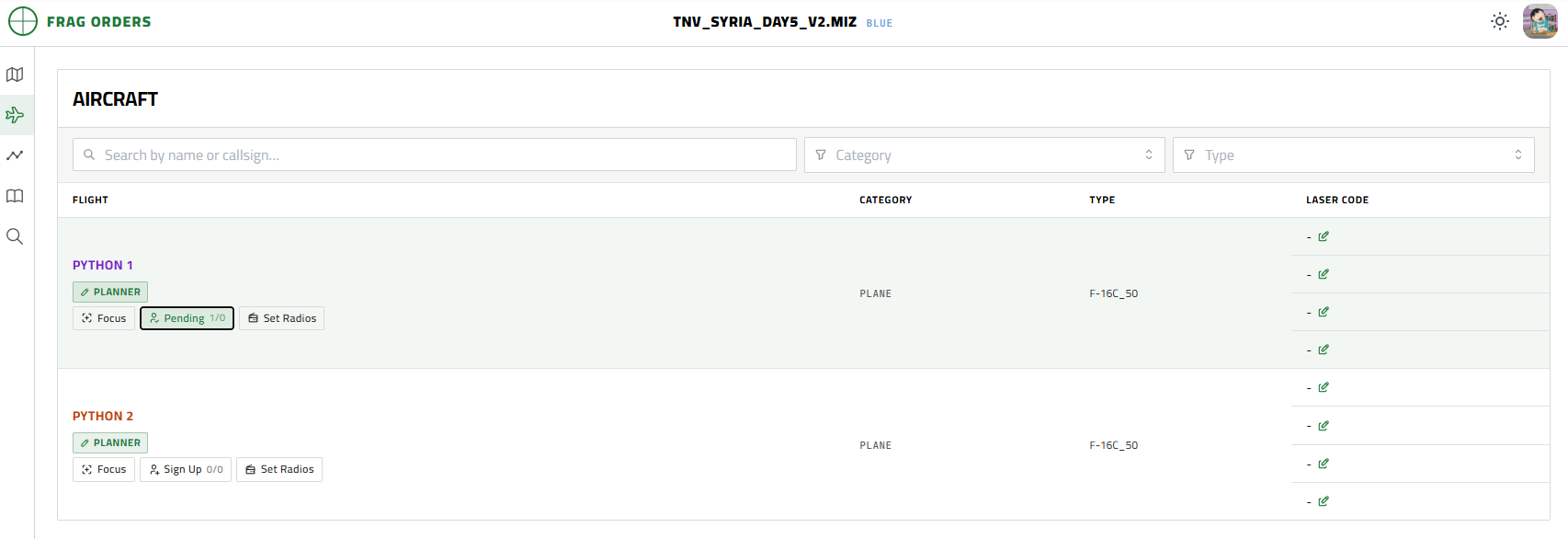
Pilots can only sign up for groups allowed by the signup rules configured in the Access tab. If a group has no signup override, the global access rules apply.
Reviewing Signups
The Signups tab on the Frag Order detail page is the admin view. It lists every group in the coalition alongside:
| Column | Description |
|---|---|
| Airframe | Aircraft type for the group |
| Eligible | Who can sign up (based on Access tab signup rules) |
| Fill | Approved signups / total configured slots |
| Signup | Each pilot who has submitted a request, with their current status |
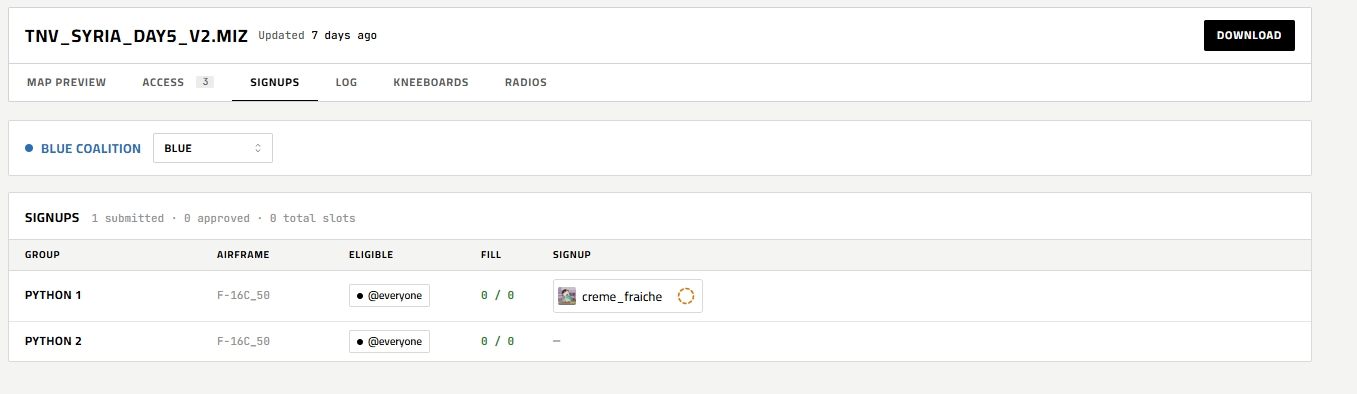
A pending signup shows a spinner icon next to the pilot's name. Click it to approve or deny the request.
Approving a Signup
Click the spinner icon next to a pending pilot and select Approve. The icon changes to a green checkmark and the Fill count increments.

Denying a Signup
Click the spinner icon and select Deny. The icon changes to a red X. The pilot's slot is not counted toward the fill total.

Denied pilots can submit a new request if they're still eligible.