Kneeboards
Frag Orders generates printable kneeboard sheets that pilots can load directly into DCS. Kneeboards are enabled and previewed from the Kneeboards tab on the Frag Order detail page, and are bundled into the .miz file when you download a publish.
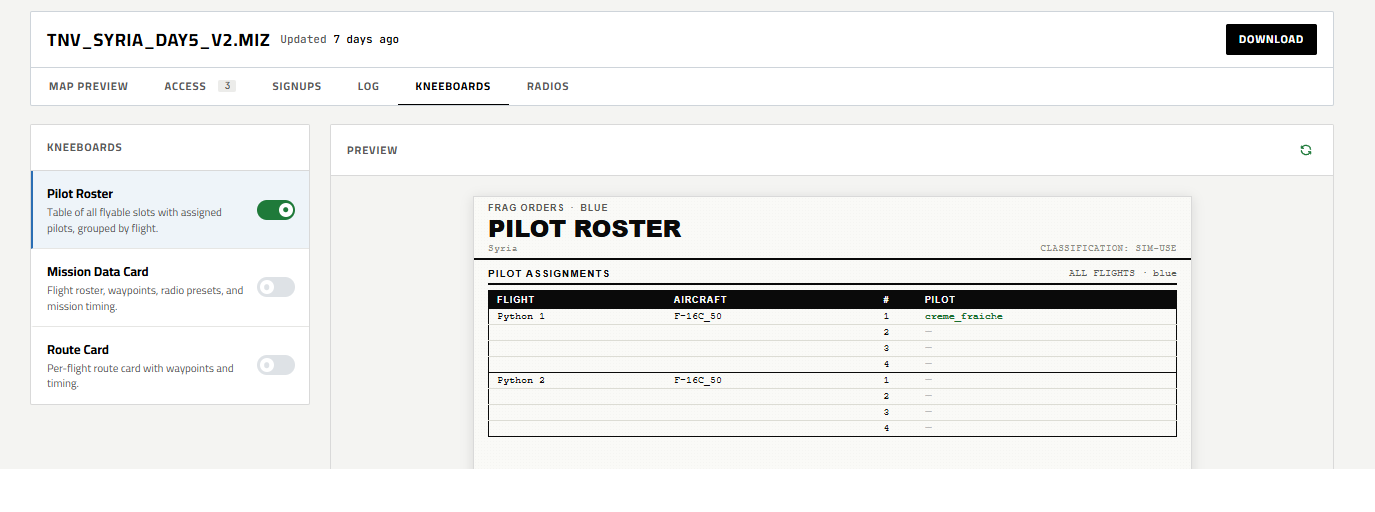
Each kneeboard can be independently enabled or disabled per publish. Click any row to preview it in the panel on the right.
Pilot Roster
A coalition-wide sheet listing every flyable slot with the pilot assigned to it. Pilots are populated from the Signups system — each approved (or pending) signup fills the next available seat in that flight.
The sheet is included in every pilot's kneeboard package, giving the whole coalition a single source of truth for who is flying what.
Mission Data Card
A per-flight sheet with everything a pilot needs for their specific aircraft:
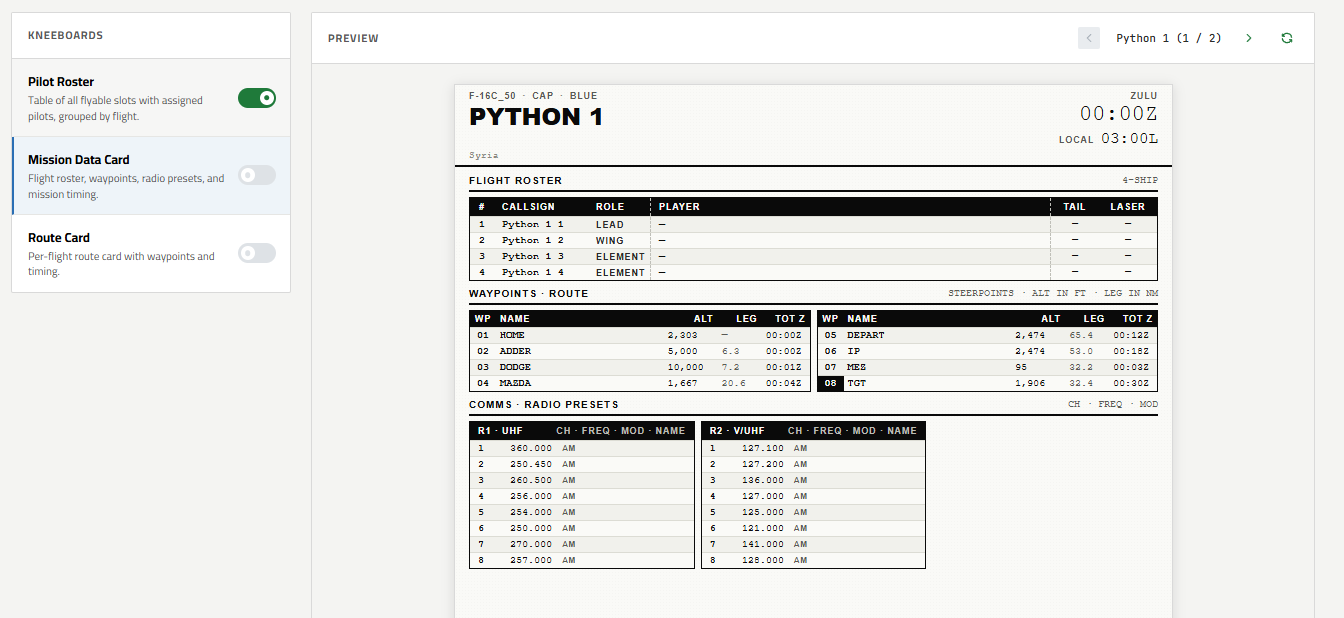
| Section | Contents |
|---|---|
| Flight Roster | Callsign, role (Lead / Wing / Element), tail number, and laser code for each slot |
| Waypoints | Full route with altitude, leg distance (NM), and cumulative time-on-target (TOT Z) |
| Comms / Radio Presets | UHF and V/UHF channel frequencies and modes |
The data card reflects planned waypoints and laser codes as set in the Planning tab, so it always matches the current plan.
Route Card
A per-flight map sheet showing the full route plotted over the theater terrain:
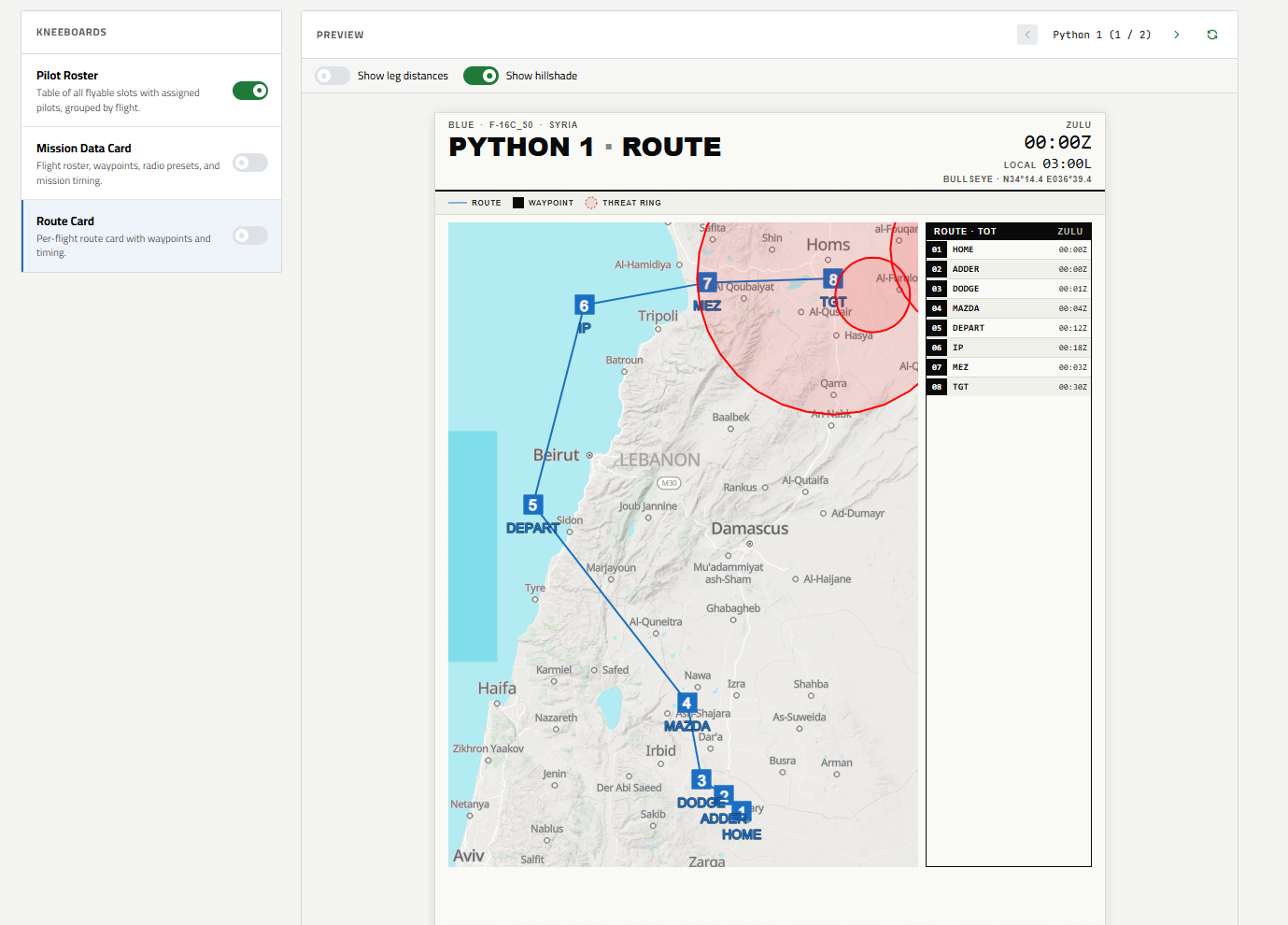
Each waypoint is numbered on the map with a table on the right showing total time and Zulu arrival for each point. Threat rings from the mission file are overlaid on the map.
Two optional display settings are available:
- Show leg distances — annotates each route leg with its length in nautical miles
- Show hillshade — adds terrain shading for better situational awareness in mountainous theaters